

Every appointment in one place.
Four views, one interface
Day, week, month and agenda – with working hours highlighted, week numbers and shareable links: the view and the date are in the address.
Personal, team and resource calendars
Grouped by type in the sidebar, each with a color of its own and each one separately shown or hidden – plus the event and rental calendars.
Recurring appointments with the full RRULE
Daily, weekly, monthly – and for everything else, the rule itself. Changes take effect for one appointment, from one appointment onwards, or for the whole series.
iCal subscriptions with a scope and a token
The event calendar goes as an ICS feed into Outlook, Apple Calendar and Google Calendar – narrowed to a tenant, a user, a contact or a category, secured by a token.
One calendar for the whole house.
The calendar brings together what otherwise lies in separate programs: personal appointments, the teams' calendars, resources such as the meeting room, and the publisher's event calendar. All of it comes together in a single view, as day, week, month or agenda as you prefer.
In the sidebar the calendars stand grouped by type, each with a color of its own and each one separately switchable. What is shown or hidden stays that way for the next visit. The view and the date are in the address, so a link to a particular week can be shared directly. And because the calendar also works as a surface, it can be put into a dashboard board or a workspace, beside the figures the appointments belong to.
An appointment is created in a dialog, belongs to several calendars at once if you wish, and can be moved and extended in the grid. The calendar covers repetition from “daily” to a rule you write yourself. When editing a series you decide whether only this appointment is meant, all the following ones, or the whole run. With resources the system checks along, before the meeting room is given out twice.
Participants are invited and answer with accept, decline or maybe. Whoever organizes is marked, and every invitation, change and answer triggers a notification. Who may do what is governed by the role per calendar: viewers see, editors change, administrators manage. Reminders come into the application, by e-mail, as a push message or to Microsoft Teams and Slack.
The second world of dates is the event calendar, with concerts, premieres, broadcast and recording dates, color-coded by category. This is where the dates from Events come together. If an entry hangs on a case, one click leads straight into Rental or into the cockpit of the title bundle, and from there on to title data.
Facing outward, the calendar is made available through a subscription. The event calendar appears as an iCal feed that Apple Calendar, Outlook and Google Calendar can subscribe to directly. Every subscription has a scope of its own: the whole tenant, one user, one category or a single contact from the CRM. Added to that is its own access token, which can be renewed at any time; the old address then becomes invalid.
The calendar in the application.

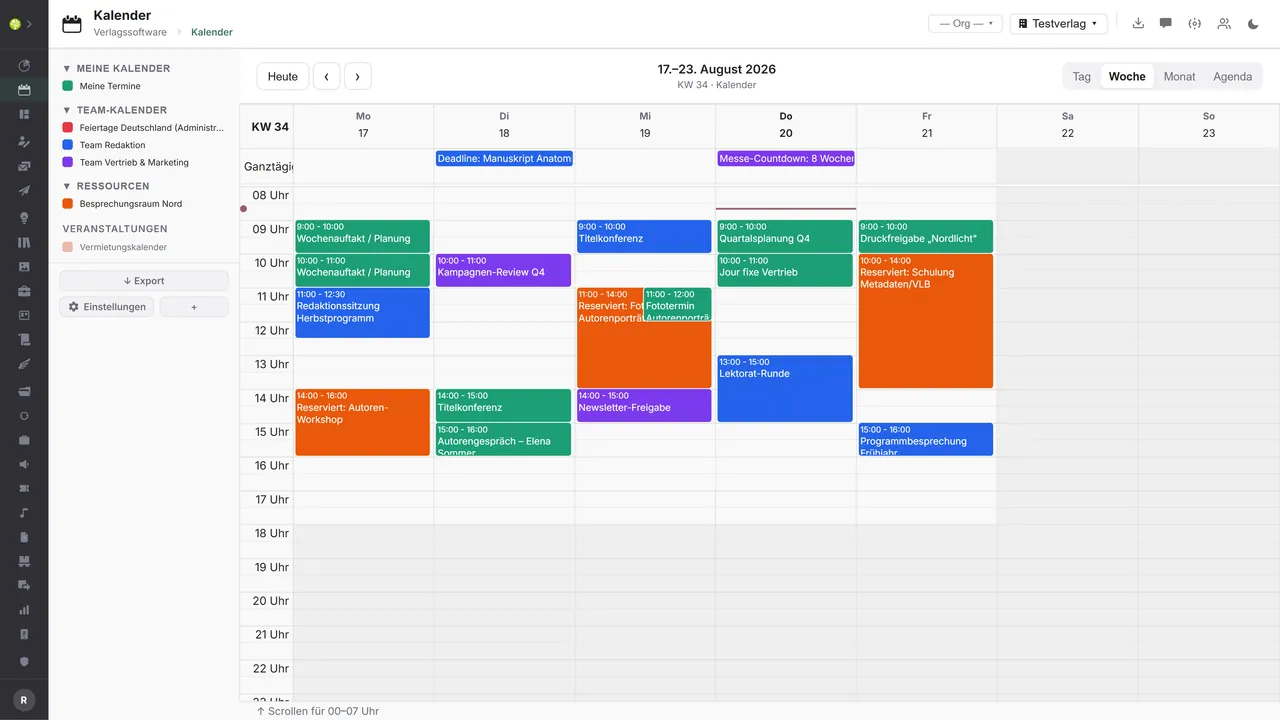

The week in the gridAll-day appointments above the grid, working hours highlighted, every color a calendar – resource bookings included. Moving and extending work directly in the grid.
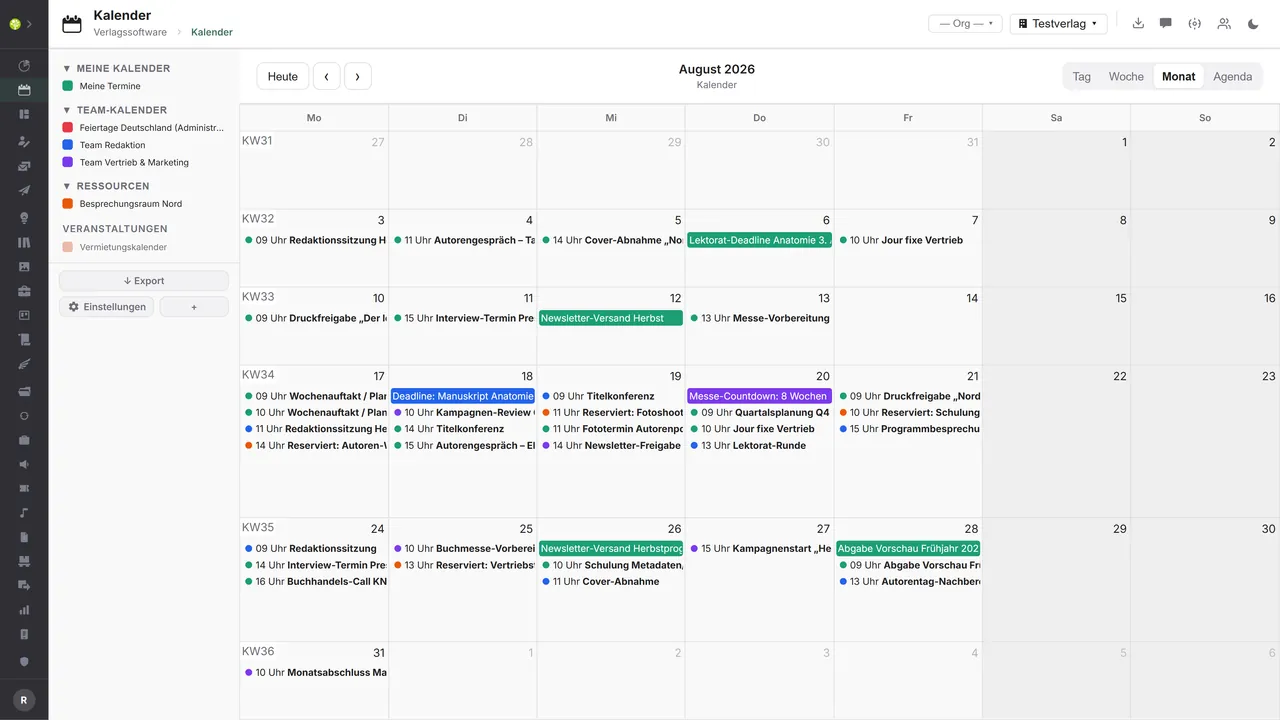
The month at a glanceWeek numbers at the side, every day with its appointments, all-day entries as bars – and the color shows which calendar an appointment comes from.
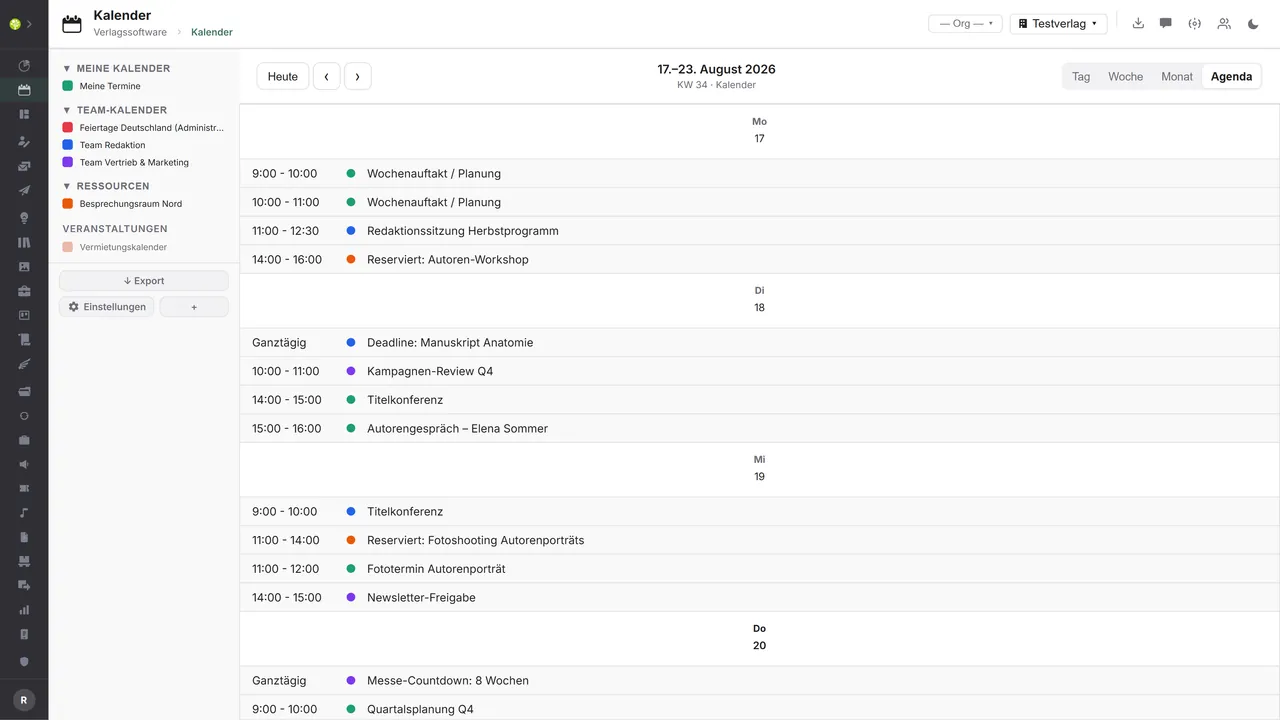
Everything as a listThe agenda lines up the period's appointments by day and time, all-day ones first – clear for the week ahead and for working through.

See open.junixx at work. We show you on screen how the software fits your publishing workflows – with no obligation, and with time for your questions.
Book a demoImport and export through the API.
A calendar is only as good as its reach: appointments should show up where people are working anyway – in Outlook, Apple Calendar and Google Calendar.

Import – from external services
Data flowing into the module from outside:
- External appointments and availability from Google and Microsoft calendars → reconciliation in both directions
- Public holidays per federal state and school holidays from calendar feeds → a planning grid with no manual work
- Third-party ICS files → take other people's appointments into your own calendars
- Meeting links and times from Zoom, Teams and Meet → the video link at the appointment

Export – to external services
Data the module passes outward:
- The event calendar as an iCal subscription for Google Calendar, Outlook and Apple Calendar
- Personal and team appointments including participants and their acceptances or declines to Google and Microsoft accounts
- A single appointment as an ICS file to pass on
- An appointment list for your own website or for event portals
Today the module publishes the event calendar as an iCal subscription: one webcal address per subscription, narrowed to a tenant, a user, a contact or a category, authenticated by a token and with renewable access. Reconciliation with Google and Microsoft accounts, the ICS import and holiday feeds can be added through the central API.
More on the interfaces
Detailed overview from the interface analysis: sources for import and possible targets for export.
Import – from external services

| Source (external) | What is imported | Use in the module |
|---|---|---|
| Google and Microsoft calendars (CalDAV, API) | External appointments and availability | Reconciliation in both directions instead of a one-way subscription |
| Holiday and school holiday feeds | Public holidays per federal state, school holidays | Automatic notes, a planning grid |
| Third-party ICS files | Other people's appointments | Import into your own calendars |
| Conference tools (Zoom, Teams, Meet) | Meeting links and times | Link an appointment to a video call |
Export – to external services

| Purpose / trigger | External service (examples) | What is exported | Format / standard |
|---|---|---|---|
| Event subscription | Google Calendar, Outlook, Apple Calendar | The event calendar's event feed | iCal/ICS through webcal, read-only |
| Personal and team appointments | Google and Microsoft accounts | Appointments including participants and acceptances/declines | CalDAV, Google and Graph API |
| Share a single appointment | Any calendar app, e-mail | A single VEVENT | ICS file |
| A public event calendar | Website or CMS, event portals | An appointment list | iCal, JSON, RSS |
Every feature of the Calendar.
You will find the complete list in our brochure
What you see above is an excerpt. Every feature of this module – and of all the others – is collected in the open.junixx brochure. We will gladly send it to you, in print or as a PDF. And if you would rather watch than read: we are happy to show you open.junixx live on screen.
Get the brochureParticularly strong for these kinds of publishers.
Anywhere appointments affect several people – editorial deadlines and print approvals, events and performances, rooms and resources.




Connected to the publishing ecosystem
- VLB
- IDNV
- doctronic
- Amazon
- Bookwire
- Arvato / VVA
- Brocom
- Prolit
- Zeitfracht
- Magento
- WordPress /
WooCommerce - Shopify
- Shopware
- Wirth & Horn
- Diamant
- DATEV
- BMD
- Abacus
- DHL
- DPD
Get to know open.junixx.
Arrange an appointment with no obligation. We will show you how the Calendar fits into your publishing routine.